



ASUS Zenbook A14 Review: Can This Laptop Keep Up With Your
A Malaysian buyer's guide to the ASUS Zenbook A14 and four alternatives, judged on battery life, portability, performance and price for a full working day.
| Laptop | CPU | GPU | Display | Memory | Storage | Battery | Price (RM) |
|---|---|---|---|---|---|---|---|
| ASUS Zenbook DUO (2024) UX8406 | Intel ® Core ™ Ultra 9 processor (Series 2) | — | Dual 14” full-size 3K OLED touchscreens | 32 GB LPDDR5x memory | up to a 2 TB PCIe ® 4.0 SSD | 75 Wh battery | — |
| ASUS Zenbook 14 OLED UX3405 | Intel® Core™ Ultra 9 Processor 185H 2.3 GHz (24MB Cache, up to 5.1 GHz, 16 cores, 22 Threads); Intel® AI Boost NPU up to 11TOPS | Intel® Arc™ Graphics | 14.0-inch, 3K (2880 x 1800) OLED 16:10 aspect ratio, 0.2ms response time, Refresh Rate:120Hz, 400nits, 500nits HDR peak brightness, 100% DCI-P3 color gamut, 1,000,000:1, VESA CERTIFIED Display HDR True Black 500, 1.07 billion colors, 70% less harmful blue light, TÜV Rheinland-certified, SGS Eye Care Display, Touch screen, (Screen-to-body ratio)87%, With stylus support | 32GB LPDDR5X on board | 1TB M.2 NVMe™ PCIe® 4.0 SSD | — | — |
| ASUS Vivobook Pro 15 OLED N6506 | Intel® Core™ Ultra 9 Processor 185H 2.3 GHz (24MB Cache, up to 5.1 GHz, 16 cores, 22 Threads); Intel® AI Boost NPU up to 11TOPS | NVIDIA® GeForce RTX™ 4050 Laptop GPU (194 AI TOPs) 6GB GDDR6 | 15.6-inch, 3K (2880 x 1620) OLED 16:9 aspect ratio, 0.2ms response time, Refresh Rate:120Hz, 400nits, 500nits HDR peak brightness, 100% DCI-P3 color gamut, 1,000,000:1, VESA CERTIFIED Display HDR True Black 600, 1.07 billion colors, PANTONE Validated, Anti-glare and low-reflection(AGLR) display, 70% less harmful blue light, TÜV Rheinland-certified, Non-touch screen, (Screen-to-body ratio)84% | 8GB DDR5 on board 16GB DDR5 SO-DIMM Max Total system memory up to:24GB | 2TB M.2 NVMe™ PCIe® 4.0 SSD | 75WHrs, 4S1P, 4-cell Li-ion | — |
| ASUS Vivobook S Series (2024) – S5406 / S5506 / S5606 / M5406 / M5506 / M5606 | Up to Intel ® Core™ Ultra 9 Processor | — | 15.6” 3K 120 Hz OLED HDR display | Up to 16 GB memory | Up to 1 TB SSD storage | Long-lasting 75 Wh battery | — |
| MacBook Air 13-inch (M3) | Apple M3 chip 8-core CPU with 4 performance cores and 4 efficiency cores | 8-core GPU | Liquid Retina display 13.6-inch (diagonal) LED-backlit display with IPS technology;¹ 2560-by-1664 native resolution at 224 pixels per inch 500 nits brightness Support for 1 billion colors Wide color (P3) True Tone technology | 8GB unified memory | 256GB SSD² | Up to 18 hours Apple TV app movie playback⁴ Up to 15 hours wireless web⁴ 52.6-watt-hour lithium-polymer battery⁴ | 2,962 |
The ASUS Zenbook A14 promises a multi-day battery in a sub-1kg body. This guide shows Malaysian buyers whether that trade-off suits their workday.
Malaysia's all-day laptop question
Malaysian workdays stretch long. Plug points are not always within reach at client sites, campuses or hospital lobbies. Reviewers who used the Zenbook A14 as a daily driver report 12 to 13 hours of mixed use. One class day from 8am to 8pm still left plenty of charge. ASUS claims up to 32 hours from the 70Wh battery, though real-world figures depend on what you run.
The catch is software. The Snapdragon X chip runs Windows on Arm, so some x86 apps and drivers may misbehave. Reviewers agree it is not a gaming laptop. If your workday lives in a browser, Office and email, that trade-off is easy to accept.
Our 5 Picks at a Glance
Our five picks cover the spread of Malaysian workday needs. The ASUS Zenbook A14 for travel-led battery life. The ASUS Zenbook DUO (2024) UX8406 for dual-screen multitasking. The ASUS Zenbook 14 OLED UX3405 for a conventional OLED ultraportable. The ASUS Vivobook Pro 15 OLED N6506 for creator workloads. The ASUS Vivobook S Series (2024) – S5406 / S5506 / S5606 / M5406 / M5506 / M5606 for mainstream value. And the MacBook Air 13-inch (M3) for the Apple ecosystem.
Battery life and real-world endurance
Battery is the Zenbook A14's headline. The 70Wh cell pairs with an efficient Snapdragon X Plus or X Elite. Reviewers measured roughly 15 to 16 hours in light school use and 19.5 hours for email and browsing in one test session. A 65W USB-C adapter tops it up quickly and can charge other USB-C devices too.
Compare that with the ASUS Zenbook 14 OLED UX3405. One reviewer took it through two working days and over 18 hours in PCMark's modern office battery test at 50% brightness. The MacBook Air 13-inch (M3) remains the benchmark for silent, efficient all-day use. The ASUS Vivobook Pro 15 OLED N6506 and ASUS Zenbook DUO (2024) UX8406 trade endurance for heavier screens and graphics. The ASUS Vivobook S Series (2024) sits in the middle with Intel Core Ultra or AMD Ryzen 8040-series options.
Portability, build and the daily carry
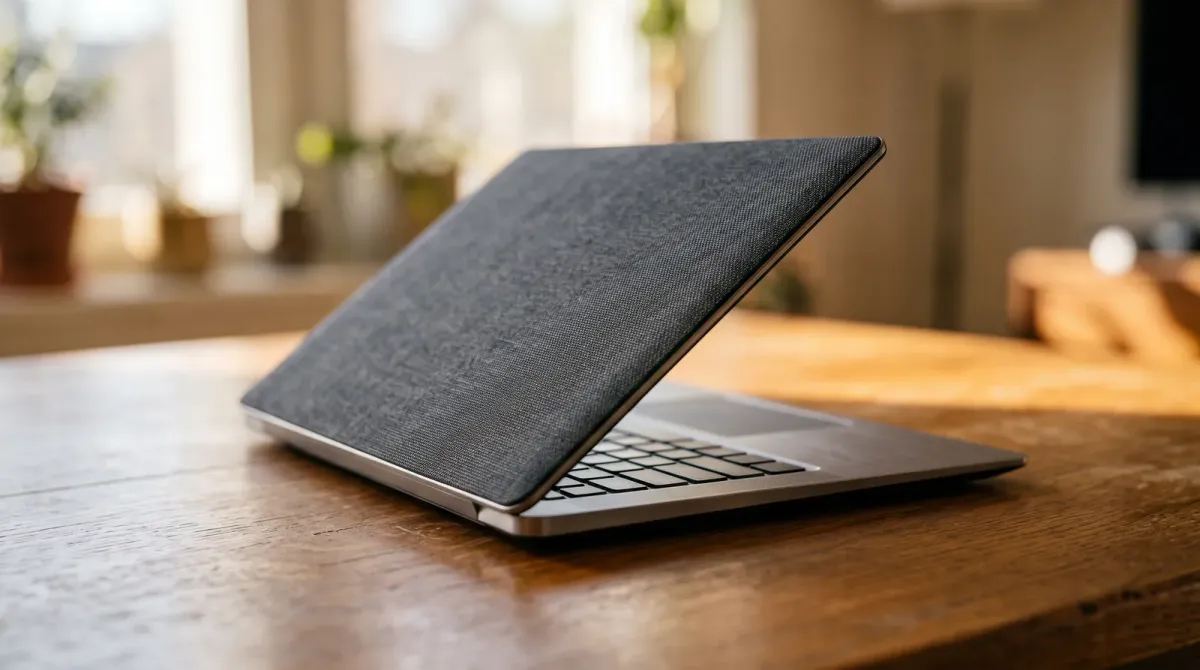
The Zenbook A14 weighs 2.40lbs and uses an all-Ceraluminum build that ASUS says is 30% lighter and three times stronger than anodized aluminum. Reviewers call it the lightest laptop they have used. The edge-to-edge touchpad had one writer leaving the mouse at home. The 14-inch Lumina OLED covers 100% DCI-P3 at 1920x1200 and 60Hz.
If you want more screen for the same bag, the ASUS Zenbook DUO (2024) UX8406 packs dual 14-inch 3K 120Hz OLED touchscreens but climbs to 1.35kg. The ASUS Zenbook 14 OLED UX3405 offers a 14-inch 3K 120Hz OLED in a conventional clamshell. The MacBook Air 13-inch (M3) stays fanless and light. The ASUS Vivobook Pro 15 OLED N6506 and ASUS Vivobook S Series (2024) are larger 15.6- and 16-inch options, so check the weight before you commit.
Performance for work, AI and creators
The Zenbook A14 runs a Qualcomm Hexagon NPU rated up to 45 TOPS with 16GB LPDDR5X and a 512GB PCIe 4.0 SSD, which makes it a Copilot+ PC for AI tasks. Reviewers found it handled writing, research and everyday apps without slowdown when unplugged. They warned about app compatibility and gaming.
For heavier work, the ASUS Vivobook Pro 15 OLED N6506 offers Intel Core Ultra options and NVIDIA GeForce RTX laptop graphics on selected configurations. The ASUS Zenbook DUO (2024) UX8406 spans Intel Core Ultra 5, 7 and 9. The ASUS Zenbook 14 OLED UX3405 goes up to 32GB LPDDR5X with Wi-Fi 6E. The ASUS Vivobook S Series (2024) gives you Intel or AMD choices with OLED options and a Copilot key.
Where to Buy and What to Check
The Zenbook A14 is priced at RM4,999. One Malaysian reviewer judged that fair for buyers who prioritise portability and AI features. Nearby options include the ASUS Zenbook 14 OLED UX3405 at RM4,499, the ASUS Vivobook S Series (2024) at RM4,599 and the MacBook Air 13-inch (M3) at RM5,199. The ASUS Vivobook Pro 15 OLED N6506 lists at RM7,899 and the ASUS Zenbook DUO (2024) UX8406 at RM9,999. The MacBook Air 15-inch (M3) is RM6,199.
Before paying, confirm the exact configuration. Memory is soldered on the A14 and storage cannot be upgraded later. Check Arm app compatibility for your work tools, and test the keyboard and touchpad in store. Buy from authorised Malaysian retailers so warranty and returns are straightforward.
For most Malaysian workdays, the Zenbook A14 keeps up if your day is email, documents and browsing. Pick a Windows x86 model or the MacBook Air if your software demands it.
ASUS Zenbook DUO (2024) UX8406
Dual-screen ultraportable for multitaskers
Pros
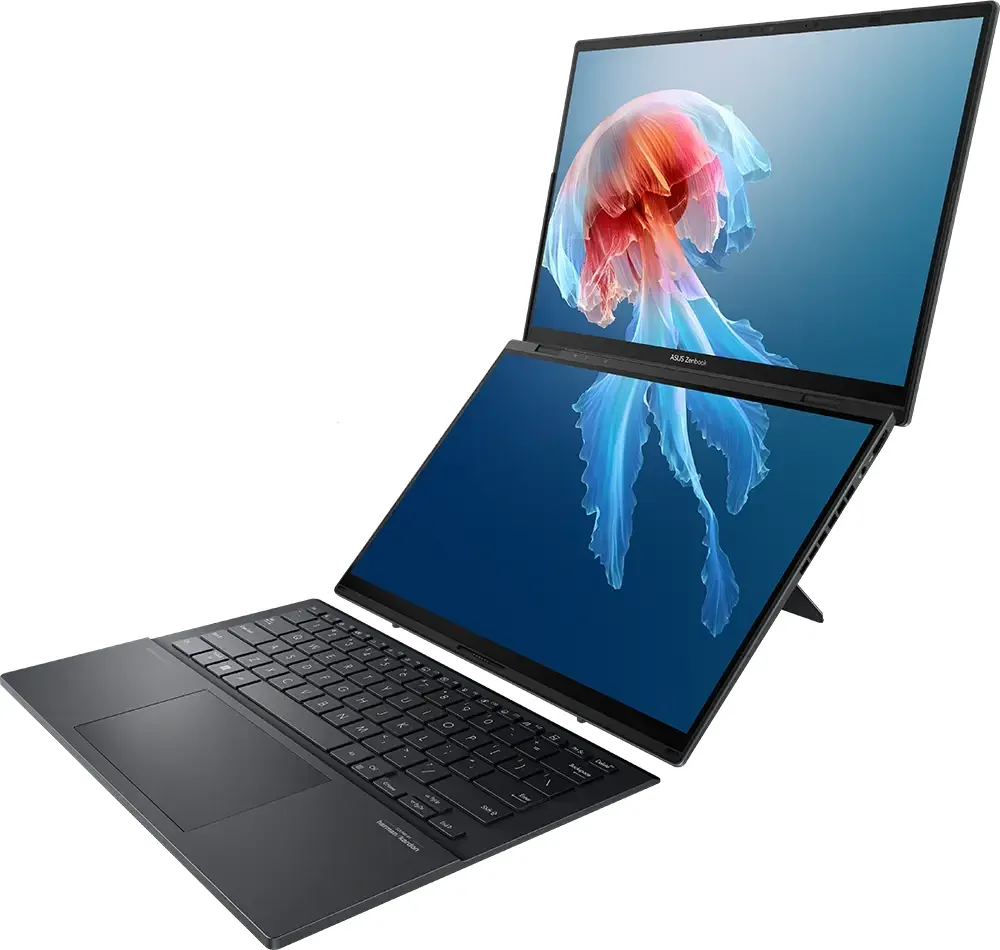
- Two 14-inch 3K OLED touchscreens
- Detachable Bluetooth keyboard and kickstand
- Weighs up to 1.35kg
Cons
- Premium price
- Dual screens may reduce battery life
Features
Dual 14-inch 3K 120Hz OLED touchscreens, Intel Core Ultra 5/7/9 processors, detachable Bluetooth keyboard, built-in kickstand.
Performance
The dual-screen design enables seamless multitasking, but the added screens likely impact battery endurance compared to single-screen laptops.
ASUS Zenbook 14 OLED UX3405
Premium ultraportable with vibrant OLED
Pros
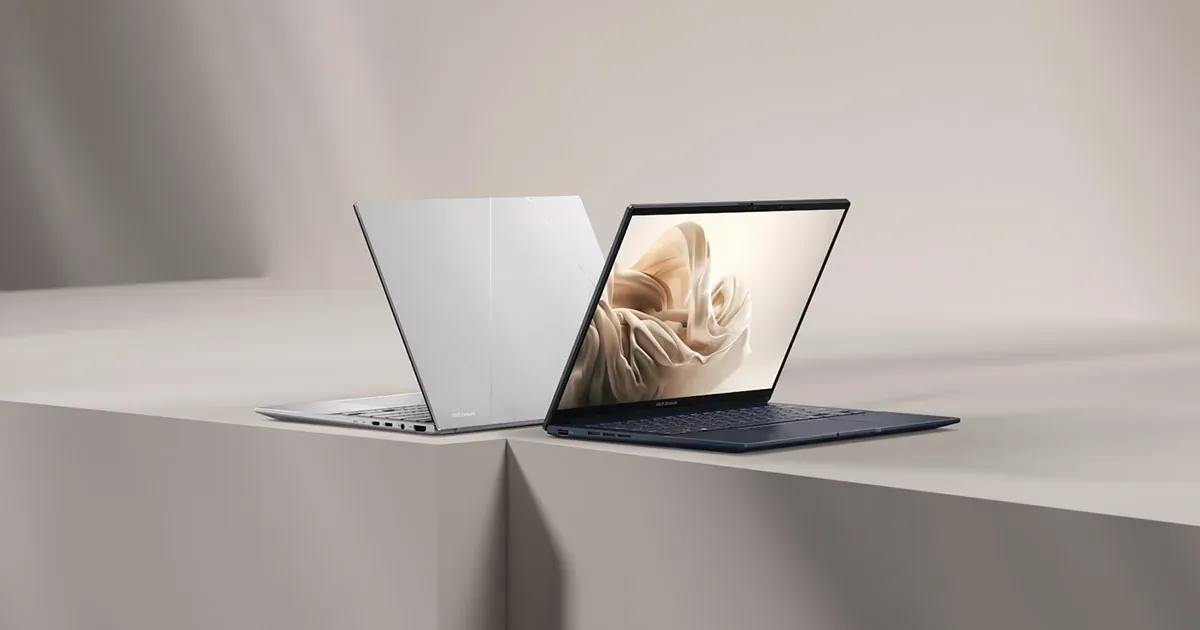
- 14-inch 3K OLED 120Hz display
- Intel Core Ultra 5/7 processors
- Up to 32GB LPDDR5X memory
Cons
- Integrated graphics only
- Wi-Fi 6E, not Wi-Fi 7
Features
14-inch 3K OLED 120Hz display, Intel Core Ultra 5/7 processors, up to 32GB LPDDR5X, PCIe 4.0 SSD, Wi-Fi 6E.
Performance
Smooth for productivity and media consumption, but not designed for demanding gaming or heavy creative workloads.
ASUS Vivobook Pro 15 OLED N6506
Creator laptop with OLED and RTX graphics
Pros
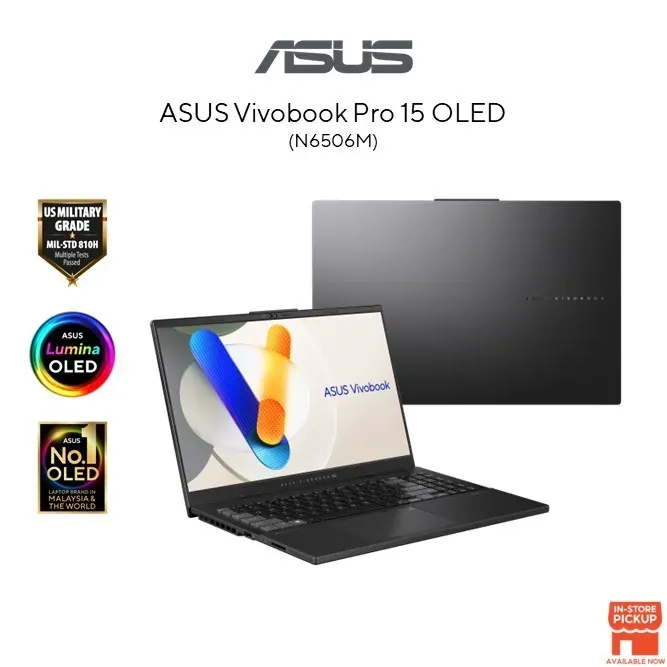
- 15.6-inch OLED display
- NVIDIA GeForce RTX laptop graphics on selected configurations
- Intel Core Ultra processor options
Cons
- Heavier than ultraportables
- RTX graphics only on selected models
Features
15.6-inch OLED display, Intel Core Ultra processor options, NVIDIA GeForce RTX laptop graphics on selected configurations.
Performance
Suited for creator-focused tasks like photo and video editing, with OLED colour accuracy, but may be bulky for travel.
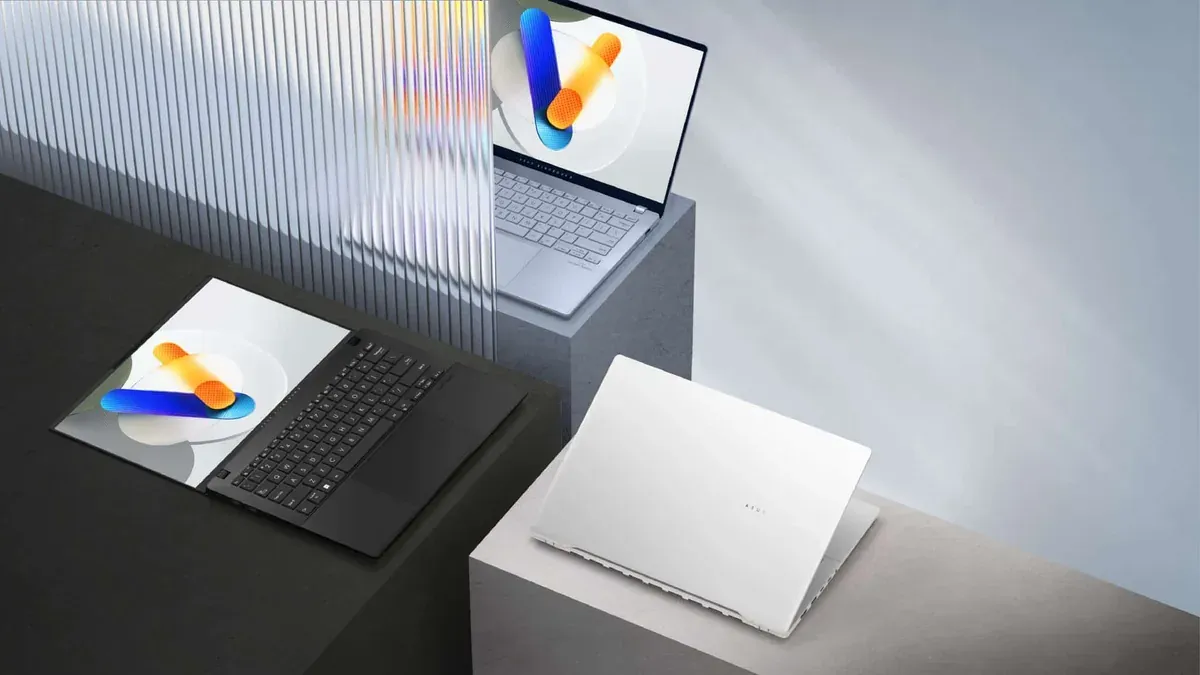
ASUS Vivobook S Series (2024) – S5406 / S5506 / S5606 / M5406 / M5506 / M5606
Versatile thin-and-light with Intel or AMD
Pros
- Choice of Intel Core Ultra or AMD Ryzen 8040-series
- OLED display options
- Copilot key for AI access
Cons
- Configurations vary widely
- Integrated graphics only
Features
2024 14-, 15.6- and 16-inch models; Intel Core Ultra or AMD Ryzen 8040-series options; OLED options; Windows 11 and Copilot key.
Performance
Balanced performance for everyday productivity and light creative work, with OLED options for better visuals.
MacBook Air 13-inch (M3)
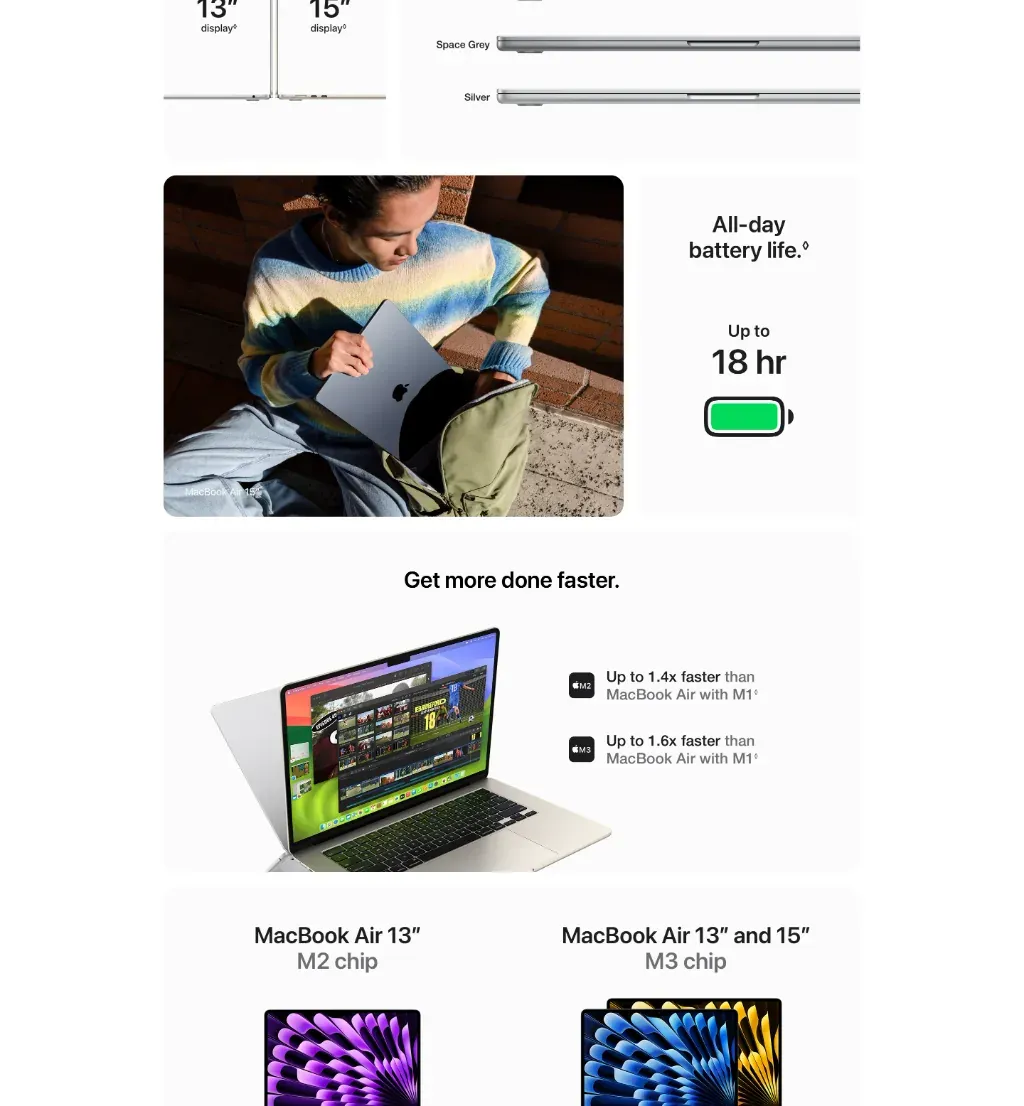
Fanless premium ultraportable with all-day battery
RM2,962RRP USD 719
No official MYR price — approx. converted from USD 719 at 4.1200 (BNM, 2026-11-20)
Pros
- Apple M3 chip
- Up to 18-hour battery life
- Fanless aluminium design
Cons
- Limited to two external displays with lid closed
- Higher price than some Windows rivals
Features
Apple M3 chip, 13.6-inch Liquid Retina display, fanless aluminium design, support for up to two external displays when lid is closed.
Performance
Excellent for everyday productivity and creative tasks, with silent operation and long battery life, but not for gaming.
Sources
- youtube.com — Zenbook A14 design, battery and AI feature tour
- vulcanpost.com — Daily-driver battery experience and RM4,999 price
- youtube.com — Zenbook 14 OLED battery test and keyboard notes
- youtube.com — Mixed-use battery figures and compatibility caveats
- stocktitan.net — Zenbook A14 specs, Ceraluminum build and 32-hour claim
- youtube.com — School-day battery use and non-gaming positioning
- nasilemaktech.com — Lightest-laptop verdict
- asus.com — Zenbook DUO (2024) specs and RM9,999 price