



5 Best Docking Stations and USB Hubs for Laptop Users in
A Malaysian buyer's guide to five docking stations and USB hubs for laptop users in 2026, covering Apple HomeView, Targus DOCK460, CalDigit TS5 Plus, CalDigit…
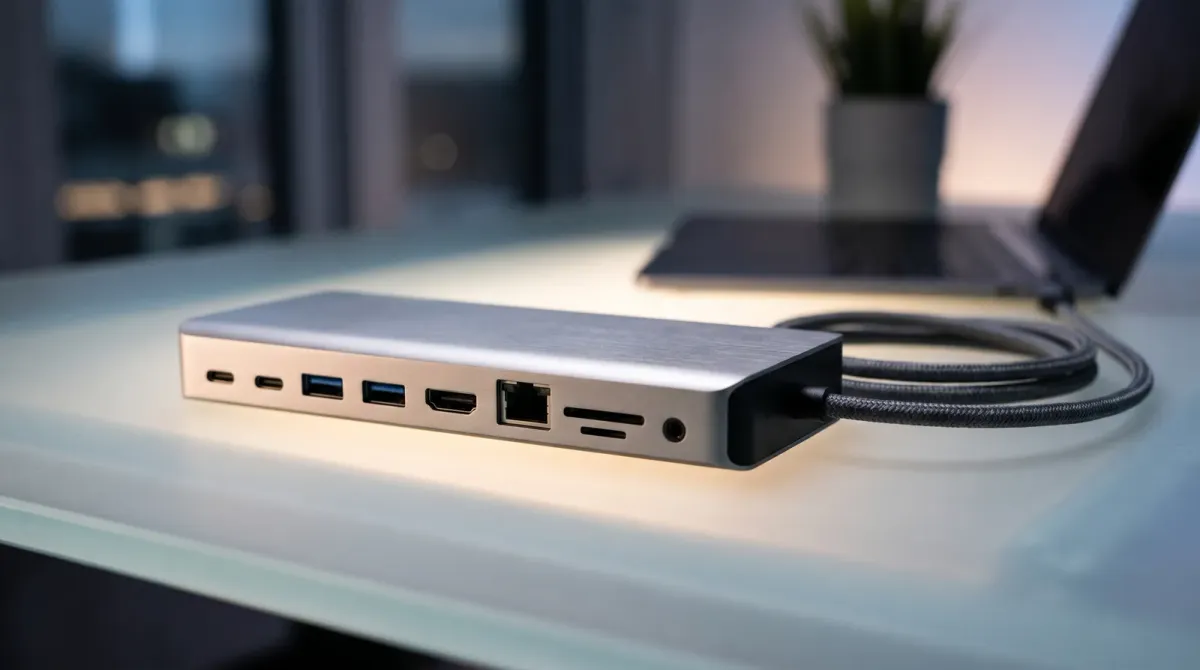
| USB Hub / Dock | Ports | Data / Video | Cable Length | Price (RM) |
|---|---|---|---|---|
| Apple HomeView | — | — | — | — |
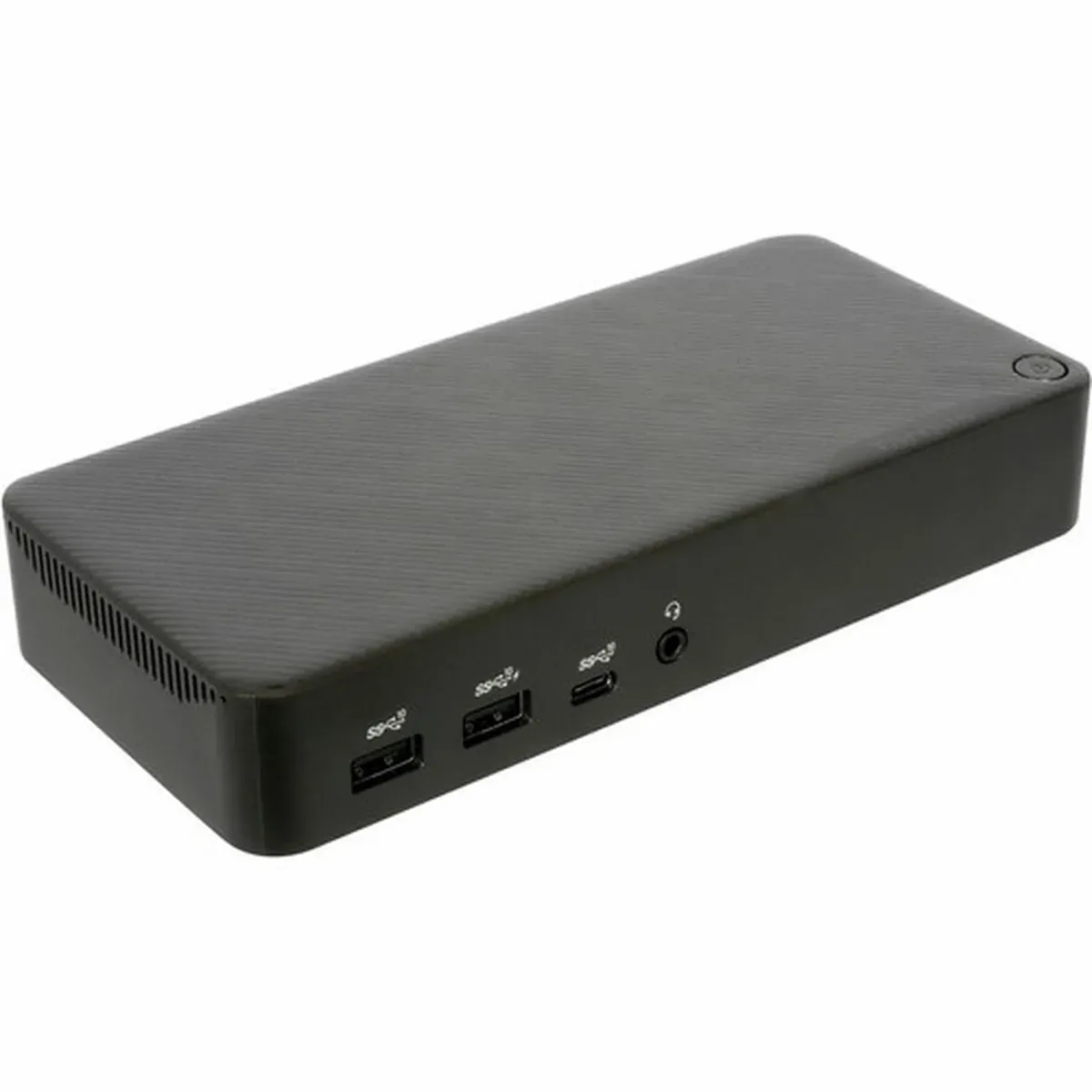
| Targus USB4 Triple Video Docking Station with 100W Power (DOCK460) | 1x USB 3.2 Generation 2 Type-C port (10Gbps and powered to 7.5W); 2x USB 3.2 Generation 2 Type-A ports (10Gbps), 1 fast charging; 2x USB 3.2 Generation 1 Type-A ports (5Gbps); 2.5G Ethernet port; 1x 3.5mm combo Audio In/Out port | USB4 40Gbps; single 8K @60Hz, dual 8K@30Hz, or triple 4K@60Hz monitors with a USB4 host via one HDMI 2.1 and two DisplayPort 1.4 ports | 1m screw-in USB4 host connector | — |
| CalDigit Thunderbolt Station 5 Plus (TS5 Plus) | 1 x Thunderbolt 5 Host (Up to 120Gb/s); 2 x Thunderbolt 5 (80Gb/s); 5 x USB-C (10Gb/s); 5 x USB-A (10Gb/s); 1 x DisplayPort 2.1; 1 x SD 4.0 (UHS-II); 1 x microSD 4.0 (UHS-II); 1 x 10 Gigabit Ethernet; 1 x Front Combo Audio In/Out (3.5mm); 1 x Rear Audio Out (3.5mm); 1 x Rear Audio In (3.5mm); 1 x DC In (24V 13.75A) | Thunderbolt 5 80Gb/s with support for Bandwidth Boost, up to 120Gb/s bandwidth; up to dual 4K 240Hz displays on Macs; up to triple 4K 144Hz displays on supported Windows Thunderbolt 5 PCs | 1.0m | 1,957 |
| CalDigit Element 5 Hub | 9 ports; 2x USB-C (10Gb/s) ports and 3x USB-A (10Gb/s) ports; spare downstream Thunderbolt 5 ports | up to 120Gb/s performance; Mac users can connect up to 2x 4K 240Hz, 2x 6K 60Hz or 2x 8K 60Hz displays; Windows Thunderbolt 5 users can connect up to 3x displays | — | 1,030 |
| Belkin Connect Thunderbolt 5 Dock (14-in-1) | — | — | — | — |
Here is a short, Malaysia-focused guide to five docking stations and USB hubs that add ports, screens and charging to a laptop.
Malaysia's Port-Poor Laptop Problem
Most laptops sold here now come with two or three USB-C ports and little else. That is fine on the move. But a desk setup with a monitor, wired keyboard, external drive and Ethernet runs out of sockets fast.
A dock or hub turns one Thunderbolt or USB-C cable into a full workstation. PCWorld notes that the best docking station for a laptop is a Thunderbolt dock, and it tests Thunderbolt 4 and Thunderbolt 5 units regularly.
Prices in Malaysia vary widely by brand and port count. Match the dock to your laptop's port standard before you spend.
Our 5 Picks at a Glance
This shortlist covers a desk-bound triple-display dock, a compact hub for travel, and premium Thunderbolt 5 options for power users. The five picks are the Apple HomeView, the Targus USB4 Triple Video Docking Station with 100W Power (DOCK460), the CalDigit Thunderbolt Station 5 Plus (TS5 Plus), the CalDigit Element 5 Hub and the Belkin Connect Thunderbolt 5 Dock (14-in-1).
Each one targets a different mix of ports, displays and charging headroom.
Buying Dimension 1: Port Standard and Laptop Compatibility
Start with the port on your laptop, not the dock's feature list. Thunderbolt docks suit modern business and creator laptops. USB-C hubs cover lighter loads.
MacBook Air and MacBook Pro owners need a dock that matches Apple's Thunderbolt implementation, which Android Authority covers in its MacBook docking guide. Windows buyers with Thunderbolt 4 or 5 ports can use the same class of dock.
Check that your laptop's port supports display output and charging over a single cable before buying.
Buying Dimension 2: Displays, Power Delivery and Port Count
Count your screens first. A triple-video dock like the Targus DOCK460 with 100W power suits multi-monitor desks. A compact hub fits a single-screen setup.
Power delivery matters for laptops that charge over USB-C. Match the dock's wattage to your laptop's charger so the dock can replace it.
Port count follows your peripherals: Ethernet, SD cards, USB-A and audio jacks all add up. XDA notes that hubs and docks can be a gamechanger for expanding a laptop's port selection.
Buying Dimension 3: Desk, Travel and Budget Fit
Decide whether the dock stays on a desk or travels in a bag. Desk docks can be larger and heavier. Travel hubs favor small footprints.
Budget follows the port standard: Thunderbolt 5 docks cost more than USB-C hubs. Set a ceiling before comparing models.
Check Malaysian warranty and local stock for each model you shortlist. For the picks above, check current price with local retailers.
Where to Buy and What to Check
Buy from authorised Malaysian retailers or brand stores so warranty claims stay local. Confirm the box lists the exact model number, such as DOCK460 or TS5 Plus.
Before paying, verify the dock supports your laptop's Thunderbolt or USB-C generation and your monitor resolution. Ask the seller about return policy if the dock does not drive your displays.
Keep your laptop's original charger as a backup even if the dock charges the machine.
Apple HomeView
Apple's own dock for MacBook multi-display setups

Pros
- Native macOS integration
- Single-cable laptop connection
- Pairs with MacBook Air M3 external display support
Cons
- Research does not detail its port list or power delivery
Features
A laptop docking accessory for Apple MacBooks, connecting via a single cable to expand ports and drive external displays. The research does not list its individual ports or wattage.
Performance
Intended to give MacBook Air and MacBook Pro owners a one-cable desk setup, complementing the MacBook Air 13-inch (M3)'s support for up to two external displays when the lid is closed.
Targus USB4 Triple Video Docking Station with 100W Power (DOCK460)
USB4 dock driving three displays with 100W charging
Pros
- Triple-video output for multi-monitor desks
- 100W power delivery over one cable
- USB4 bandwidth for high-speed peripherals
Cons
- Requires a USB4 or Thunderbolt-capable laptop for full triple-display output
Features
A USB4 docking station that outputs to three external displays and delivers up to 100W of power back to the host laptop over a single cable. Model number DOCK460.
Performance
Suited to Windows and USB4 laptops that need multiple monitors plus laptop charging from one connection; triple-display output depends on the host supporting USB4/Thunderbolt.
CalDigit Thunderbolt Station 5 Plus (TS5 Plus)
Premium Thunderbolt dock with the fullest port selection
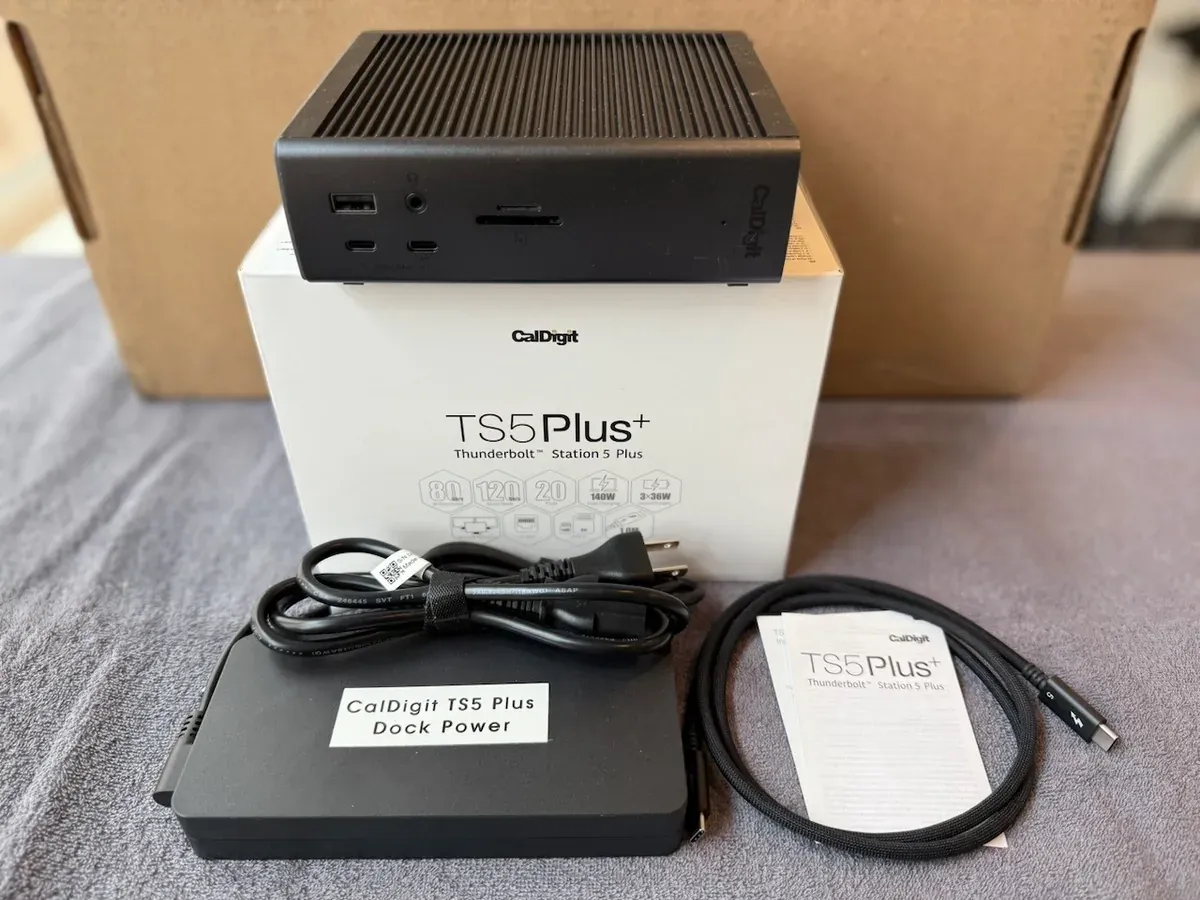
RM1,957RRP USD 474.99
No official MYR price — approx. converted from USD 474.99 at 4.1200 (BNM, 2026-11-20)
Pros
- Very broad port selection
- High power delivery to the host
- Handles dual 4K displays
Cons
- Premium price bracket
Features
A Thunderbolt docking station in CalDigit's TS line, built for users who want a large number of ports and display outputs from a single cable. The TS series is known for high power delivery and multi-display support.
Performance
Aimed at power users who dock a laptop at a desk and connect many accessories and monitors; it trades portability for connectivity.
CalDigit Element 5 Hub
Compact Thunderbolt hub for extra USB-A and TB ports
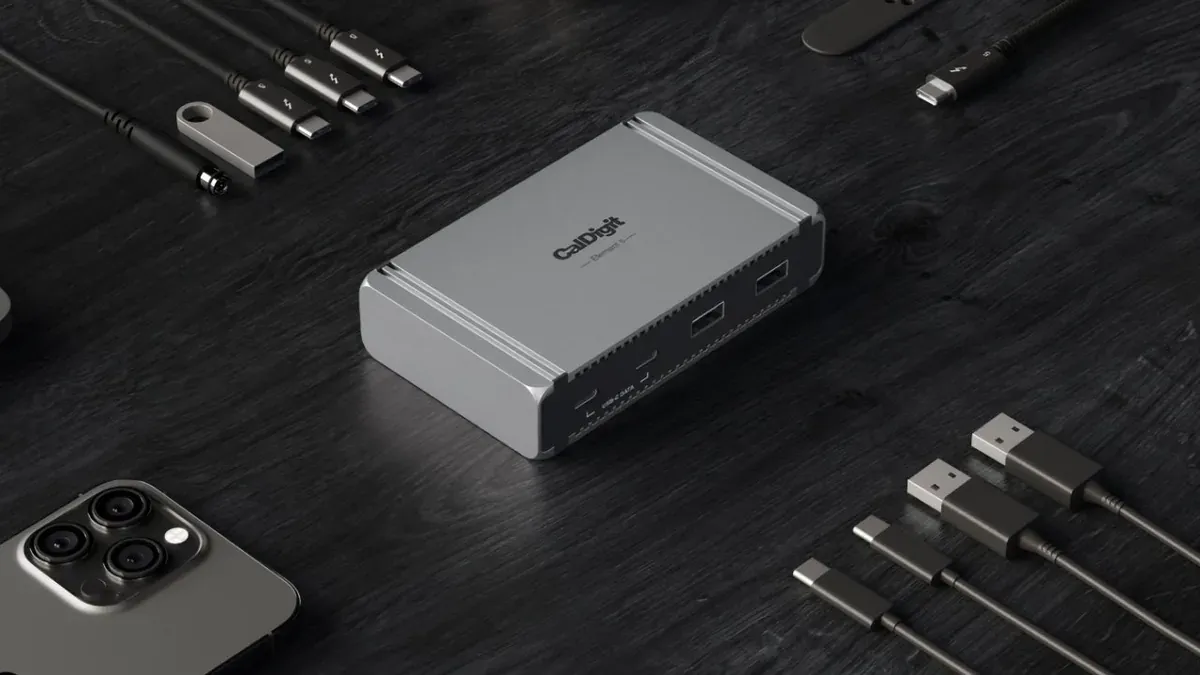
RM1,030RRP USD 249.95
No official MYR price — approx. converted from USD 249.95 at 4.1200 (BNM, 2026-11-20)
Pros
- Adds Thunderbolt and USB-A ports
- Compact, reversible design
- Removable rubber feet
Cons
- Lower power delivery than full docks
Features
A compact Thunderbolt hub that adds downstream Thunderbolt and USB-A ports to a laptop; the Element line is reversible with removable rubber feet and caps host power delivery at 60W.
Performance
Best for users who simply want more USB-A and Thunderbolt ports rather than a full desk dock; power delivery is enough to keep a laptop topped up but not a fast-charge solution.
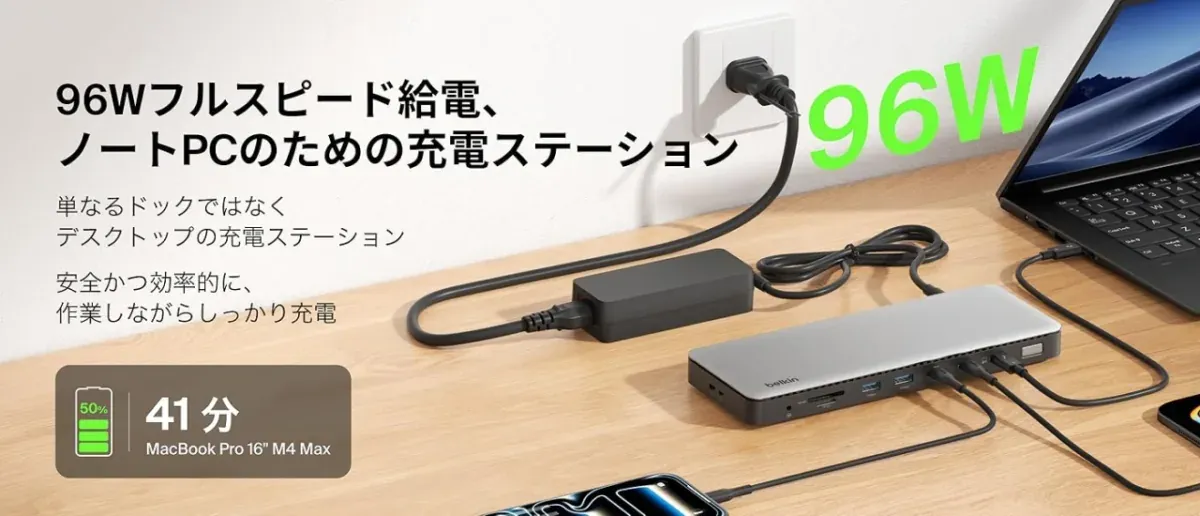
Belkin Connect Thunderbolt 5 Dock (14-in-1)
14-in-1 Thunderbolt 5 dock for the newest laptops
Pros
- 14-in-1 port count
- Thunderbolt 5 for latest laptops
- One-cable desk setup
Cons
- Thunderbolt 5 benefits need a TB5-capable host
Features
A 14-in-1 Thunderbolt 5 docking station from Belkin's Connect line, expanding a single laptop port into a full desktop hub of ports and display outputs.
Performance
Built for owners of the newest Thunderbolt 5 laptops who want maximum connectivity; older Thunderbolt 4 or USB-C laptops will fall back to lower bandwidth.
Sources
- pcworld.com — Thunderbolt dock recommendation and testing
- androidauthority.com — MacBook docking station context
- xda-developers.com — USB hub and dock port expansion
- howtogeek.com — laptop docking station roundup
- pcworld.com — accessory buying guidance