



9 Best Printers for Home, Office and Professional Use in
A Malaysian buyer's guide to the 9 best printers for home, office and professional use in 2026, covering ink tank models, laser printers and wide-format…
| Printer | Type | Connectivity | Print Speed | Resolution | Price (RM) |
|---|---|---|---|---|---|
| Epson SureColor S9170 64-Inch Solvent Printer | 64-inch roll-to-roll solvent printer | — | — | — | 3,296 |
| Epson EcoTank L3350 (C11CL62503) | A4 Wi-Fi All-in-One Ink Tank Printer | Wi-Fi & Wi-Fi Direct | up to 11 ipm for black and 6 ipm for colour | — | — |
| Epson EcoTank L5390 (C11CL59502) | A4 All-in-One Ink Tank Printer | Wi-Fi & Ethernet | — | — | — |
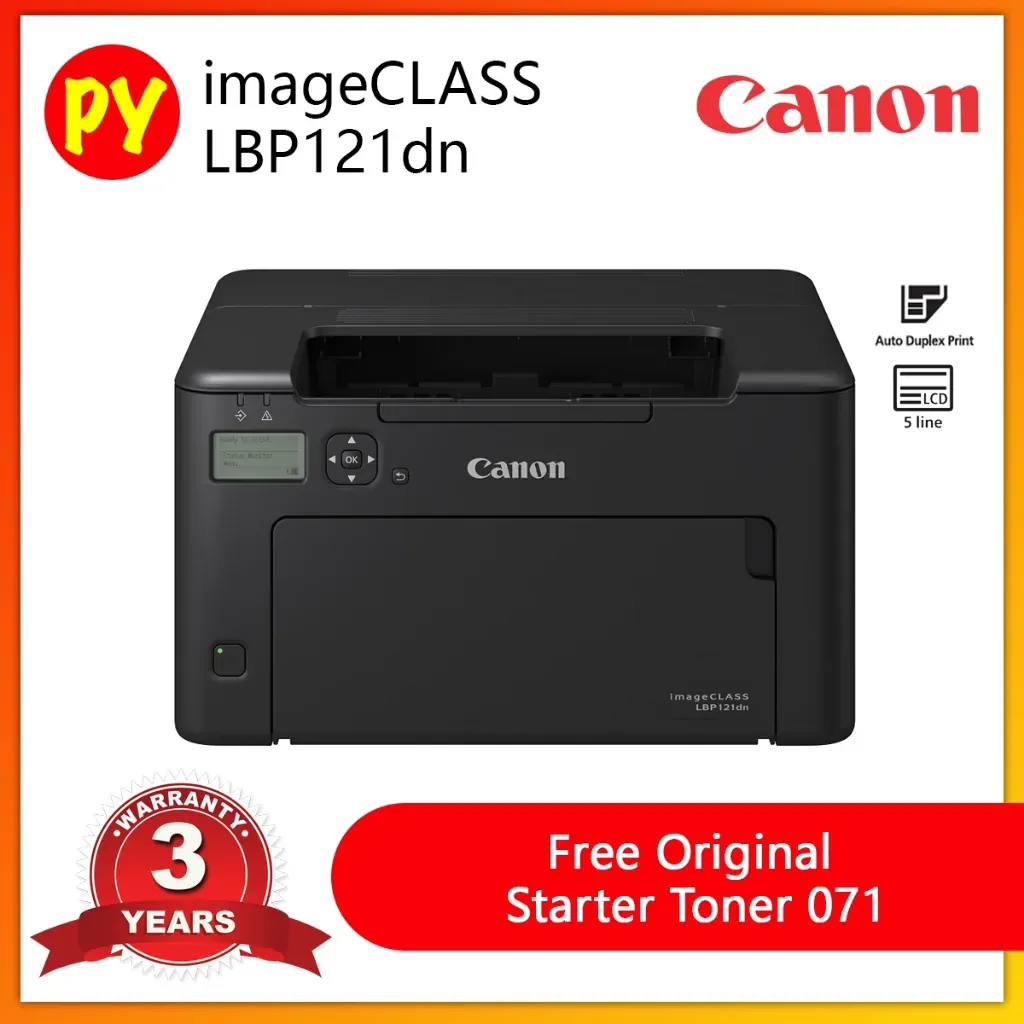
| Canon imageCLASS LBP121dn II | Single-function mono laser | — | 29 ppm | — | — |
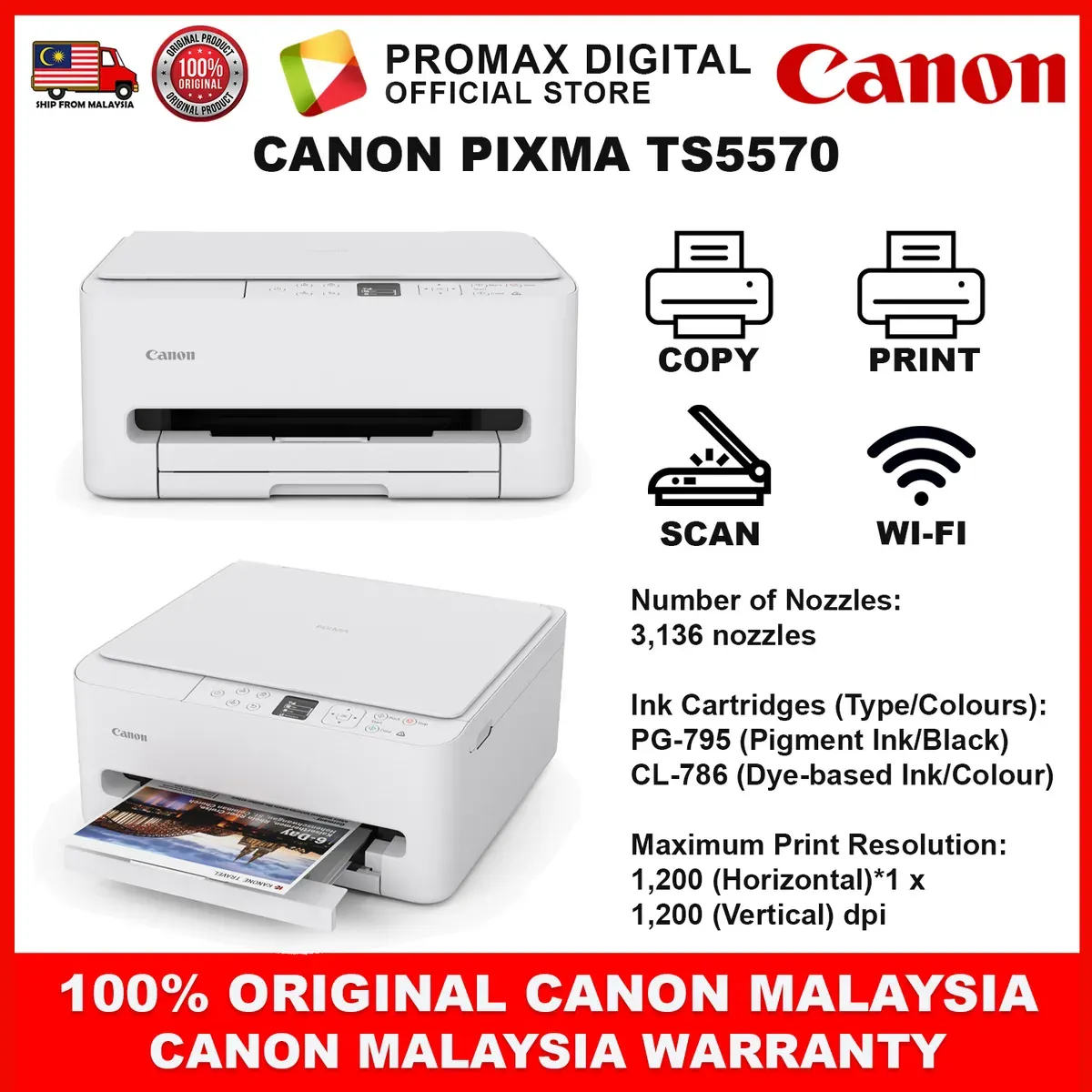
| Canon PIXMA TS5570 | Compact Wireless All-In-One | Dual-band Wi-Fi, Wireless Direct, AirPrint®, Mopria® Print Service | Up to 14 / 9 ipm (Mono/Colour) | 1,200 (Horizontal) x 1,200 (Vertical) dpi | — |
This guide gives Malaysian buyers a clear path through the 2026 printer market. Spend on the machine that matches your actual print volume, not the one with the loudest box.
Malaysia's Printer Market Splits Three Ways
Walk into any Low Yat floor or scroll a local marketplace and you meet three printer families. Home users want cheap per-page colour printing. Small offices want fast duplex documents that never jam. Professional shops want wide-format output that survives Malaysian heat and humidity.
Brands position each family differently. HP sells its work range as business printers built for home offices, SMBs and enterprises, while its home range leans on large-volume, low-cost printing for families. That split matters here because our power bills and humidity punish machines picked for the wrong job.
Ink tank and laser models dominate local shelves, and both reward buyers who do the page-cost maths first. A cheap unit with expensive cartridges costs more by month six than a mid-range tank printer.
Our 5 Picks at a Glance
Our five picks span the whole spectrum. The Epson SureColor S9170 64-Inch Solvent Printer serves sign shops and professional print houses that need wide-format output. The Epson EcoTank L3350 (C11CL62503) and Epson EcoTank L5390 (C11CL59502) cover home and small-office tank printing at different duty levels. The Canon imageCLASS LBP121dn II handles fast monochrome documents, and the Canon PIXMA TS5570 suits light home colour and photo work.
Pricing for all five sits with local dealers, so treat each listing as check current price until you confirm a quote. The three laptop and smart-home prices in our database belong to other categories and do not apply here.
Read each pick against your monthly page count and colour needs, not against the spec sheet alone.
Buying Dimension 1: Cost Per Page and Ink Economics
Cost per page decides whether a printer is cheap or expensive, and the sticker price hides it. Tank models like the Epson EcoTank L3350 and L5390 spread a large ink reserve across thousands of pages, which suits households and offices that print daily.
Cartridge printers like the Canon PIXMA TS5570 cost less upfront but charge more per sheet, so they fit light, occasional printing. Laser machines such as the Canon imageCLASS LBP121dn II sit in between for monochrome volume, with toner that holds up over long document runs.
Add paper and electricity to your monthly figure before you commit. A machine that prints 200 pages a month on cartridges can cost more than a tank model within a year.
Buying Dimension 2: Duty Cycle, Speed and Connectivity
Match the printer's rated monthly volume to your real workload. The Canon imageCLASS LBP121dn II is built for steady office document flow with duplex output, while the Epson EcoTank L5390 takes higher volume than the L3350 for busier shared desks.
Connectivity decides how the machine fits your setup. Check for Wi-Fi, Ethernet and USB on the models you shortlist, and confirm mobile printing support if staff print from phones.
The Epson SureColor S9170 64-Inch Solvent Printer is a different class entirely. It needs floor space, ventilation and a trained operator, so treat it as a production investment rather than a desk accessory.
Buying Dimension 3: Format, Media and Print Quality
Format is the first filter. A4 covers home and office documents, while the 64-inch SureColor S9170 handles banners, vehicle wraps and signage that no desktop unit can produce.
Media handling separates photo work from paperwork. The Canon PIXMA TS5570 handles photo paper for family prints, and the EcoTank models accept standard office stock for everyday jobs.
Print quality follows the job. Text-heavy offices care about sharp small type and fast drying, while professional shops care about colour consistency across long runs on vinyl and banner media.
Where to Buy and What to Check
Buy from authorised Malaysian dealers or brand stores so the warranty registers locally. Ask for a demo print on your own paper before you pay, and confirm the ink or toner that ships in the box.
Check the warranty length, on-site service terms and the nearest service centre. For the SureColor S9170, confirm installation, training and media supply before signing.
Finally, price the first year of ink, toner and paper alongside the machine. That total, not the listed price, tells you which printer is actually the better buy.
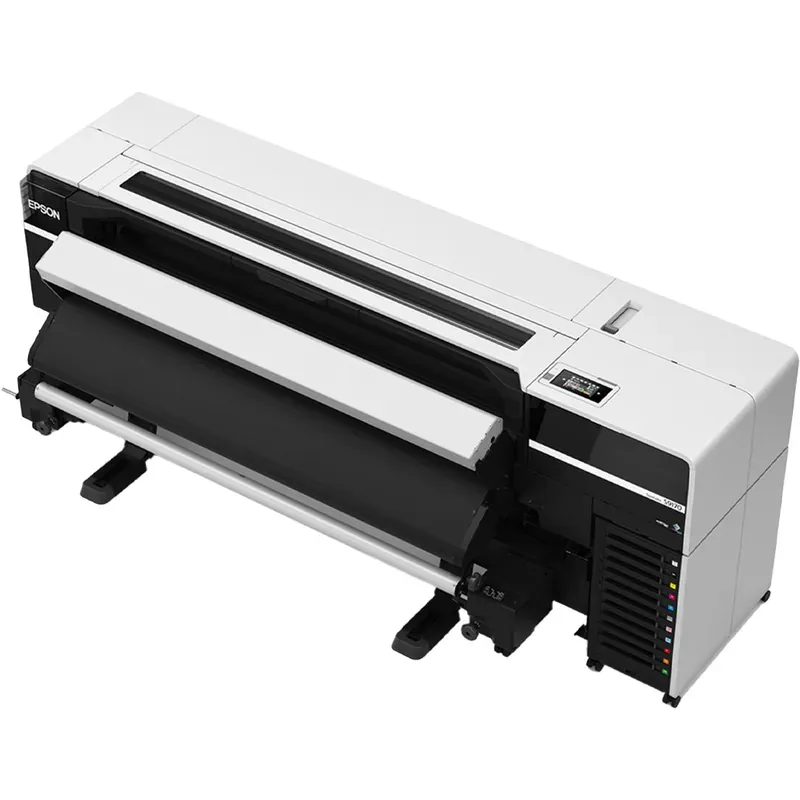
Epson SureColor S9170 64-Inch Solvent Printer
64-inch roll-to-roll solvent signage production workhorse
RM3,296RRP USD 800
No official MYR price — approx. converted from USD 800 at 4.1200 (BNM, 2026-11-20)
Pros
- Large 64-inch roll-to-roll format for wide signage
- 11-colour UltraChrome GS3 ink set with red, orange and green
- PrecisionCore Micro TFP printhead
Cons
- Professional production unit, not a home printer
- Solvent signage focus rather than everyday documents
Features
A 64-inch roll-to-roll solvent printer built for signage and graphics production, using an 11-colour UltraChrome GS3 ink set that includes red, orange and green, driven by a PrecisionCore Micro TFP printhead.
Performance
Aimed squarely at signage and graphics shops producing large-format output; the wide 11-colour ink set targets vivid, extended-gamut graphics rather than compact office printing.
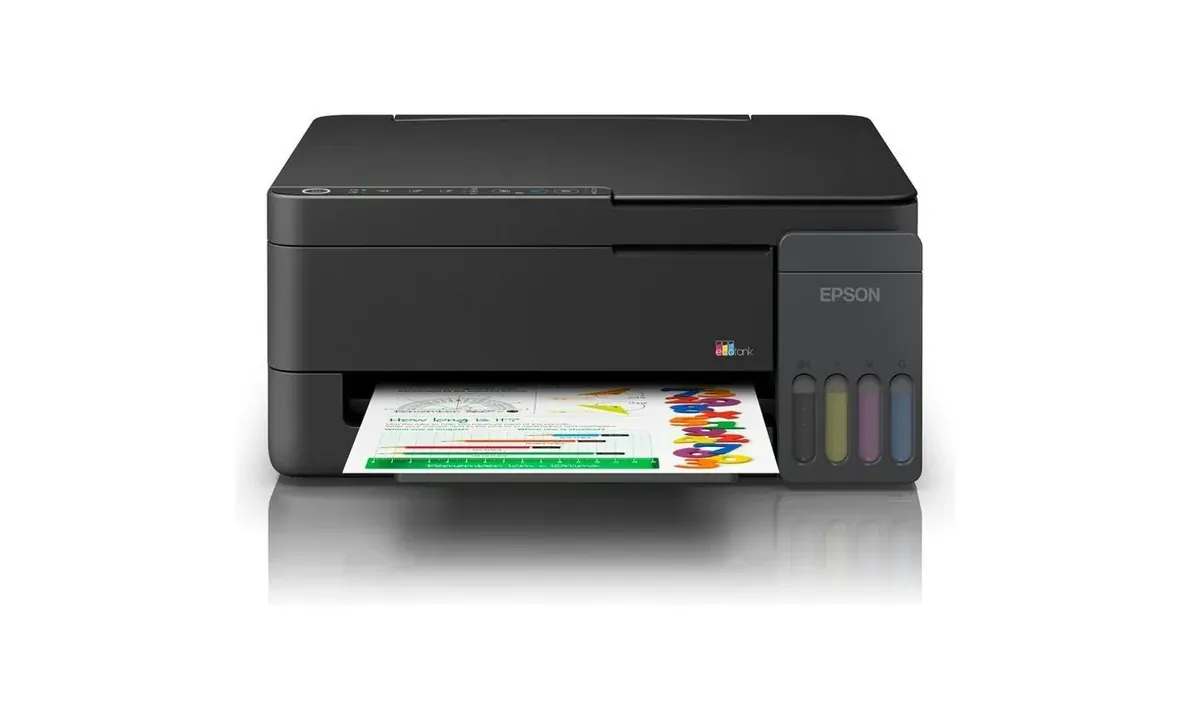
Epson EcoTank L3350 (C11CL62503)
Entry-level ink tank all-in-one for home printing
Pros
- Print, scan and copy in one unit
- Wi-Fi Direct for cable-free connection
- Up to 7,500 colour yield
Cons
- Modest 11/6 ipm print speeds
- No fax or ADF listed
Features
An A4 Wi-Fi all-in-one ink tank printer covering print, scan and copy, with Wi-Fi Direct connectivity and a quoted colour yield of up to 7,500 pages.
Performance
Suited to light home and home-office duty: 11 ipm mono and 6 ipm colour are unhurried, but the high tank yield keeps refill interruptions low.
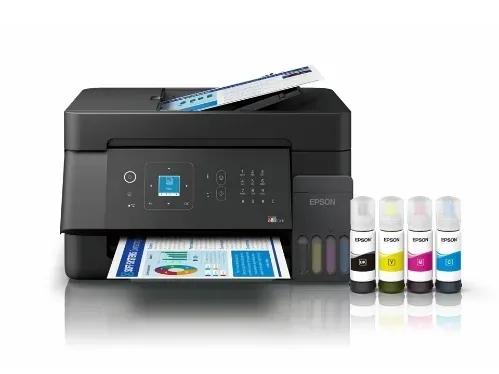
Epson EcoTank L5390 (C11CL59502)
SOHO ink tank all-in-one with ADF and fax
Pros
- Print, scan, copy and fax
- 30-sheet ADF for multi-page scanning
- Wi-Fi and Ethernet connectivity
Cons
- 1.44-inch LCD is small
- A4 only, no wide format
Features
An A4 all-in-one ink tank printer with print, scan, copy and fax, a 1.44-inch LCD, a 30-sheet automatic document feeder, and both Wi-Fi and Ethernet connectivity.
Performance
The ADF and Ethernet make it the more office-ready EcoTank here, handling multi-page scan and copy jobs and wired network sharing for small teams.
Canon imageCLASS LBP121dn II
Mono laser single-function printer for SOHO desks
Pros
- 29 ppm mono laser output
- Automatic duplex printing
- TLS 1.3 security support
Cons
- Single-function, no scanning or copying
- Monochrome only
Features
A single-function monochrome laser printer with 29 ppm output, automatic duplex, a 150-sheet paper tray and TLS 1.3 security support.
Performance
Built for fast, fuss-free black-and-white document runs in a small office; the 150-sheet tray means more frequent refills than higher-capacity business lasers.
Canon PIXMA TS5570
Compact wireless all-in-one with borderless photo printing
Pros
- Compact wireless all-in-one
- 1.42-inch OLED display
- Auto duplex and borderless photo
Cons
- Entry-tier home positioning
- No fax listed
Features
A compact wireless all-in-one printer with a 1.42-inch OLED panel, automatic duplex printing and borderless photo output.
Performance
A good fit for mixed home use where documents and occasional borderless photos share one small-footprint device.