



ASUS Zenbook DUO (2024) UX8406 Review: Can It Keep Up?
A five-way roundup for Malaysian buyers weighing the dual-screen Zenbook DUO (2024) UX8406 against the Zenbook 14 OLED, Vivobook Pro 15 OLED, Vivobook S Series…
| Laptop | CPU | GPU | Display | Memory | Storage | Battery | Price (RM) |
|---|---|---|---|---|---|---|---|
| ASUS Zenbook DUO (2024) UX8406 | Intel ® Core ™ Ultra 9 processor (Series 2) | Intel Arc Graphics | Dual 14” full-size 3K OLED touchscreens | 32 GB LPDDR5x memory | up to a 2 TB PCIe ® 4.0 SSD | 75 Wh battery | — |
| ASUS Zenbook 14 OLED UX3405 | Intel® Core™ Ultra 9 Processor 185H 2.3 GHz (24MB Cache, up to 5.1 GHz, 16 cores, 22 Threads); Intel® AI Boost NPU up to 11TOPS | Intel® Arc™ Graphics | 14.0-inch, 3K (2880 x 1800) OLED 16:10 aspect ratio, 0.2ms response time, Refresh Rate:120Hz, 400nits, 500nits HDR peak brightness, 100% DCI-P3 color gamut, 1,000,000:1, VESA CERTIFIED Display HDR True Black 500, 1.07 billion colors, 70% less harmful blue light, TÜV Rheinland-certified, SGS Eye Care Display, Touch screen, (Screen-to-body ratio)87%, With stylus support | 32GB LPDDR5X on board | 1TB M.2 NVMe™ PCIe® 4.0 SSD | — | — |
| ASUS Vivobook Pro 15 OLED N6506 | Intel® Core™ Ultra 9 Processor 185H 2.3 GHz (24MB Cache, up to 5.1 GHz, 16 cores, 22 Threads); Intel® AI Boost NPU up to 11TOPS | NVIDIA® GeForce RTX™ 4050 Laptop GPU (194 AI TOPs) 6GB GDDR6 | 15.6-inch, 3K (2880 x 1620) OLED 16:9 aspect ratio, 0.2ms response time, Refresh Rate:120Hz, 400nits, 500nits HDR peak brightness, 100% DCI-P3 color gamut, 1,000,000:1, VESA CERTIFIED Display HDR True Black 600, 1.07 billion colors, PANTONE Validated, Anti-glare and low-reflection(AGLR) display, 70% less harmful blue light, TÜV Rheinland-certified, Non-touch screen, (Screen-to-body ratio)84% | 8GB DDR5 on board 16GB DDR5 SO-DIMM Max Total system memory up to:24GB | 2TB M.2 NVMe™ PCIe® 4.0 SSD | 75WHrs, 4S1P, 4-cell Li-ion | — |
| ASUS Vivobook S Series (2024) – S5406 / S5506 / S5606 / M5406 / M5506 / M5606 | Up to Intel ® Core™ Ultra 9 Processor | — | 15.6” 3K 120 Hz OLED HDR display | Up to 16 GB memory | Up to 1 TB SSD storage | Long-lasting 75 Wh battery | — |
| MacBook Air 13-inch (M3) | Apple M3 chip 8-core CPU with 4 performance cores and 4 efficiency cores | 8-core GPU | Liquid Retina display 13.6-inch (diagonal) LED-backlit display with IPS technology;¹ 2560-by-1664 native resolution at 224 pixels per inch 500 nits brightness Support for 1 billion colors Wide color (P3) True Tone technology | 8GB unified memory | 256GB SSD² | Up to 18 hours Apple TV app movie playback⁴ Up to 15 hours wireless web⁴ 52.6-watt-hour lithium-polymer battery⁴ | 2,962 |
The ASUS Zenbook DUO (2024) UX8406 puts two 14-inch 3K OLED touchscreens in one laptop. This roundup checks whether that setup genuinely carries a Malaysian workday next to four more conventional picks.
Dual screens meet Malaysian workdays
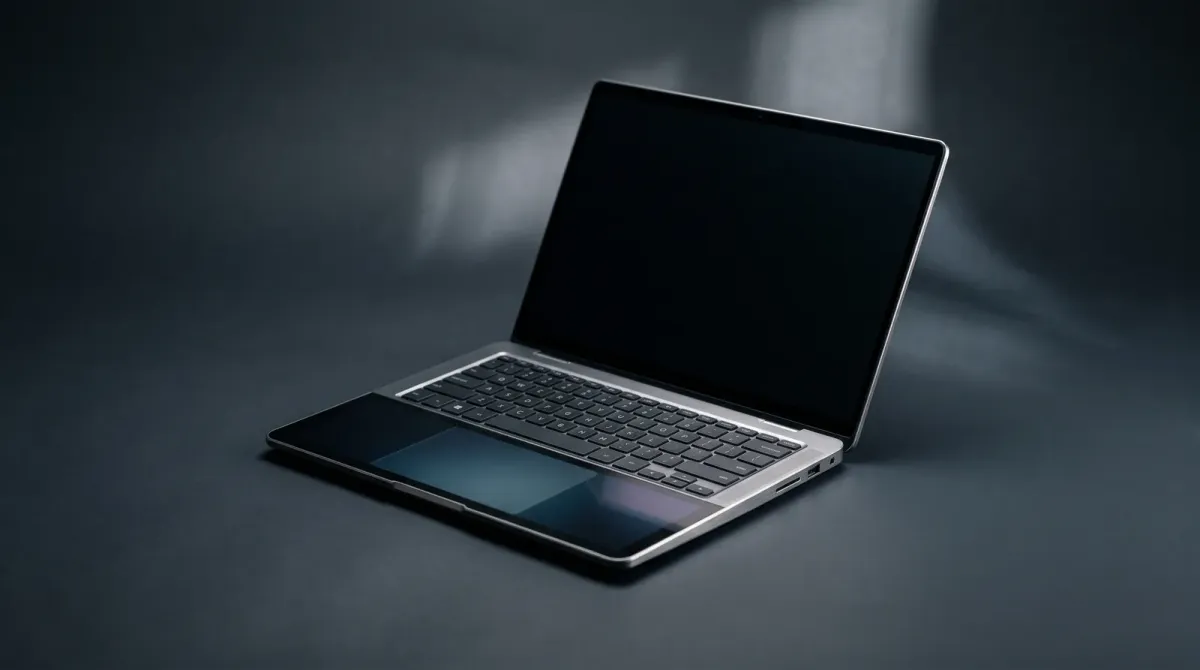
Malaysian buyers juggle long office hours, client calls and evening side projects on one machine. Screen space and battery endurance matter as much as raw speed. The Zenbook DUO (2024) UX8406 answers that with two 14-inch 3K OLED touchscreens, a detachable Bluetooth keyboard and a built-in kickstand. Reviewers say the dual-screen modes stay useful without breaking the normal laptop experience.
That flexibility comes at RM9,999. If your workday is one document, one browser and a video call, the extra panel earns less than it costs. If you keep Slack, a spreadsheet and reference material open at once, it changes how you work.
Our 5 Picks at a Glance
The ASUS Zenbook DUO (2024) UX8406 (RM9,999) leads on screen real estate. The ASUS Zenbook 14 OLED UX3405 (RM4,499) is the lighter, simpler ultraportable. The ASUS Vivobook Pro 15 OLED N6506 (RM7,899) targets creators who want one large OLED panel. The ASUS Vivobook S Series (2024) – S5406 / S5506 / S5606 / M5406 / M5506 / M5606 (RM4,599) spreads value across several sizes. The MacBook Air 13-inch (M3) (RM5,199) is the battery-first alternative for Apple users.
Screen setup and multitasking
The Zenbook DUO (2024) UX8406 pairs two 14-inch 2880 x 1800 120Hz OLED panels, and reviewers call them gorgeous. You can run it as a normal clamshell, stack the screens, or lay them flat with the keyboard detached. One reviewer notes the expanded workspace suits keeping footage on one screen and project folders on the other.
The Zenbook 14 OLED UX3405 and Vivobook S Series keep to a single display, which suits focused work and travel. The Vivobook Pro 15 OLED N6506 gives creators one larger OLED canvas for timeline and colour work. The MacBook Air 13-inch (M3) stays the simplest of the five, with one screen and macOS window management.
Battery life through a workday
The Zenbook DUO (2024) UX8406 carries a 75WHr 4-cell battery. Gizmodo measured nearly 7 hours with both screens open, and one reviewer got about 7 hours with dual screens against 8 hours on a single screen. That covers a normal office day, but heavy multitasking will send you looking for the 65W charger.
Battery is where the MacBook Air 13-inch (M3) makes its case, and where the single-screen Zenbook 14 OLED UX3405 and Vivobook S Series ask less of the cell by design. The Vivobook Pro 15 OLED N6506 sits at the heavier end, so treat it as a desk-first machine.
Ports, weight and everyday carry
The Zenbook DUO (2024) UX8406 covers connectivity well: one USB 3.2 Gen 1 Type-A, two Thunderbolt 4 ports, HDMI 2.1 and a 3.5mm combo jack. The detachable keyboard has its own USB-C port for charging when it sits away from the body. ASUS lists the laptop at up to 1.35kg.
Portability still favours the Zenbook 14 OLED UX3405 and MacBook Air 13-inch (M3) for daily commutes and flights. The Vivobook S Series spans several chassis sizes, so you can pick the footprint that fits your bag. The Vivobook Pro 15 OLED N6506 trades carry weight for screen size.
Where to Buy and What to Check
All five picks sell through ASUS Malaysia and Apple Malaysia, plus authorised retailers and the major online marketplaces. Confirm the exact configuration before you pay, because RAM, storage and processor options change the final figure.
For the Zenbook DUO (2024) UX8406, check the keyboard and stylus bundle, the 32GB LPDDR5 memory and 1TB SSD listing, and whether the price covers the full dual-screen accessory set. Ask about local warranty coverage and service centre locations.
If the dual-screen idea appeals but you want the newer generation, the Zenbook DUO (2026) is listed at RM11,999. Otherwise, set a budget first and match it to the pick whose screen, battery and weight fit how you actually work.
ASUS Zenbook DUO (2024) UX8406
Dual 14-inch 3K OLED touchscreens for ultimate multitasking
Pros
- Two gorgeous 120Hz 3K OLED displays
- Detachable keyboard and built-in kickstand
- Good battery life for a dual-screen laptop
Cons
- Battery life suffers with dual-display mode
- Performance may be hindered by dual-display form factor
- Heavier and thicker than typical 14-inch laptops
Features
Dual 14-inch 3K (2880 x 1800) 120Hz OLED touchscreens, Intel Core Ultra 5/7/9 processors, detachable Bluetooth keyboard, built-in kickstand, up to 32GB LPDDR5X RAM, up to 2TB PCIe 4.0 SSD, 2x Thunderbolt 4, 1x USB-A, HDMI 2.1, Wi-Fi 7.
Performance
Handles web browsing, media consumption, coding, and photo editing smoothly with minimal stutter. Battery life can drop to around 7 hours with both screens active, but a full workday is achievable.
ASUS Zenbook 14 OLED UX3405
Premium ultraportable with stunning 3K OLED display
Pros
- Vibrant 14-inch 3K OLED 120Hz display
- Lightweight and portable
- Up to 32GB LPDDR5X memory
Cons
- Integrated graphics only
- Limited to Intel Core Ultra 5/7 processors
Features
14-inch 3K OLED 120Hz display, Intel Core Ultra 5/7 processors, up to 32GB LPDDR5X RAM, PCIe 4.0 SSD, Wi-Fi 6E.
Performance
Smooth for everyday productivity, media consumption, and creative tasks thanks to the OLED screen and fast memory. Integrated graphics limit gaming and heavy 3D work.
ASUS Vivobook Pro 15 OLED N6506
Creator-focused laptop with OLED colour and RTX graphics
Pros
- 15.6-inch OLED display with accurate colours
- NVIDIA GeForce RTX laptop graphics on selected configurations
- Intel Core Ultra processor options
Cons
- Bulky compared to ultraportables
- RTX graphics only on selected configurations
Features
15.6-inch OLED display, Intel Core Ultra processor options, NVIDIA GeForce RTX laptop graphics on selected configurations, creator-focused performance.
Performance
Well-suited for content creation, photo and video editing thanks to the OLED panel and optional RTX graphics. Heavier than thin-and-light laptops, so less portable.
ASUS Vivobook S Series (2024) – S5406 / S5506 / S5606 / M5406 / M5506 / M5606
Mainstream premium thin-and-light with OLED options
Pros
- Choice of Intel Core Ultra or AMD Ryzen 8040-series
- 14-, 15.6- and 16-inch models available
- OLED display options
Cons
- Integrated graphics only
- Varied specs across models
Features
2024 14-, 15.6- and 16-inch models, Intel Core Ultra or AMD Ryzen 8040-series options, OLED options, Windows 11 and Copilot key.
Performance
Balanced performance for everyday productivity and media, with OLED options for better visuals. Not intended for demanding gaming or heavy 3D rendering.
MacBook Air 13-inch (M3)
Fanless ultraportable with all-day battery life
RM2,962RRP USD 719
No official MYR price — approx. converted from USD 719 at 4.1200 (BNM, 2026-11-20)
Pros
- Up to 18-hour battery life
- Fanless aluminium design
- Supports up to two external displays when lid is closed
Cons
- Limited to 13.6-inch display
- No fan means potential thermal throttling under sustained load
Features
Apple M3 chip, 13.6-inch Liquid Retina display, fanless aluminium design, support for up to two external displays when lid is closed.
Performance
Excellent for everyday productivity and creative tasks with silent operation. Not designed for sustained heavy workloads like video rendering or gaming.
Sources
- asus.com — Official specs, dual 14-inch 3K 120Hz OLED, weight and Malaysian price
- makeuseof.com — Everyday performance and dual-screen verdict
- xda-developers.com — Port list, battery capacity and display specifications
- gizmodo.com — Battery life with both screens open and port layout
- youtube.com — Dual-screen versus single-screen battery figures
- windowscentral.com — Dual-screen laptop positioning and speaker notes